Complete Guide to Lili Royale ID Verification for New Players
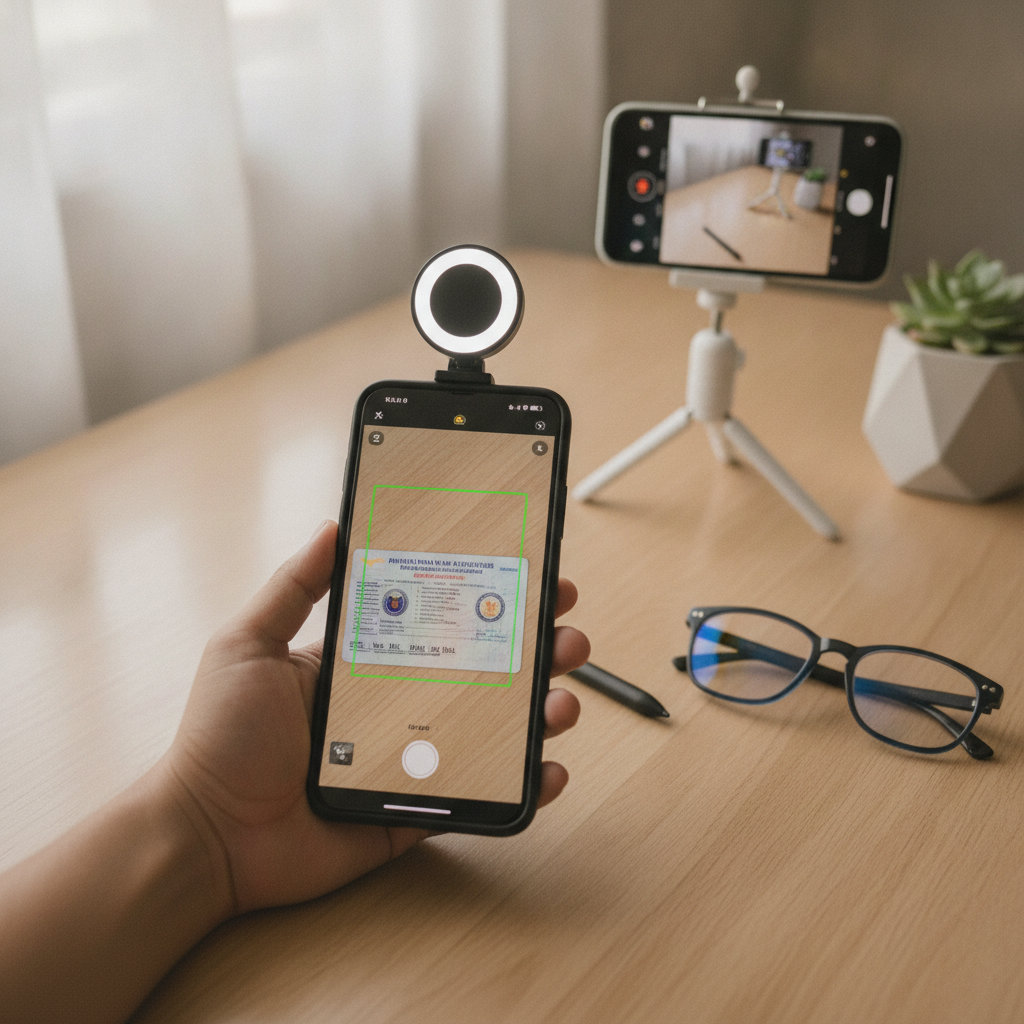
Complete Guide to Lili Royale ID Verification for New Players
When you register on Lili Royale, one of the first steps you'll encounter is ID verification. This guide walks through why the casino asks for it, which Philippine IDs are accepted, how to upload clear photos from your phone, and what happens next.
This is an independent guide to help Filipino players understand the process. Lili Royale is the operator; this site simply explains how things work for beginners.
Why Lili Royale Asks for ID Verification
Lili Royale asks players to verify their identity for three main reasons:
Age verification. Online casinos in the Philippines must confirm that every player is at least 21 years old. By checking your government-issued ID, Lili Royale ensures minors cannot create accounts or place bets.
Account security. Verifying your identity protects your account. If someone tries to access your balance or request a withdrawal, the casino can confirm the person matches the verified ID on file.
Withdrawal processing. Before Lili Royale can release winnings to your GCash, Maya, or bank account, they need to confirm the account holder is the same person who deposited and played. This step prevents fraud and protects both the player and the platform.
You typically need to complete ID verification before making your first withdrawal. Some players can deposit and play right after Lili Royale register, but verification becomes mandatory when you want to cash out.
Which Philippine IDs Are Accepted
Lili Royale accepts most government-issued Philippine IDs. Your ID must show your full name, date of birth, and photo. The most commonly used documents include:
Driver's license. This is the most popular choice because it clearly shows your photo, birth date, and full name on a single card.
Philippine passport. The bio page of your passport works well. Make sure the photo and all text are visible.
UMID (Unified Multi-Purpose ID). Issued by SSS, GSIS, PhilHealth, and Pag-IBIG, this card is widely accepted.
Postal ID. A valid Postal ID from PhilPost includes your photo and personal details.
National ID (PhilSys). The new Philippine Identification System card is accepted once you have the physical card.
Voter's ID. Some casinos accept this, though it may not always show your birth date clearly.
PRC ID. Professional Regulation Commission IDs for licensed professionals are typically accepted.
SSS, GSIS, or other government IDs. As long as the ID has your photo, full name, and date of birth, it should work.
The ID must be current and not expired. If your driver's license expired last year, renew it first or use a different valid ID. Lili Royale will reject expired documents.
How to Upload Clear Photos of Your ID on Mobile
Most Filipino players use Android phones, and uploading from mobile is straightforward. Follow these steps to make sure your photos are accepted the first time:
1. Find good lighting. Take the photo in a well-lit room or near a window during the day. Avoid dim rooms or direct sunlight that creates glare.
2. Place your ID on a flat surface. Don't hold the ID in your hand. Lay it flat on a table with a plain, dark background—avoid busy patterns or light-colored surfaces that make the text hard to read.
3. Take the photo straight-on. Hold your phone directly above the ID so the card fills most of the frame. Don't tilt the phone or shoot at an angle; the edges of the ID should be parallel to the edges of the photo.
4. Check that all text is readable. Zoom in on the photo after you take it. Every letter of your name, your birth date, the ID number, and expiration date should be sharp and easy to read. If anything is blurry, retake the photo.
5. Upload both front and back. Most IDs have information on both sides. Lili Royale usually asks for photos of the front and back, so prepare both images before you start the upload process.
6. Use your phone's camera, not a screenshot. Take a fresh photo with your camera app. Do not upload a scanned copy, photocopy, or screenshot of an old image—quality degrades and the casino may reject it.
7. Avoid glare and shadows. If your ID has a laminated surface, angle it slightly so overhead lights don't create a bright reflection that hides your photo or text. Make sure your hand or phone doesn't cast a shadow.
When you log in to Lili Royale on your Android phone, navigate to your account settings or profile section. Look for "Verification," "KYC," or "Upload ID." Tap the upload button, select the photo from your gallery, and submit. Some players prefer to take the photo directly within the Lili Royale app if that option is available.
How Long Verification Takes and What to Expect
After you upload your ID, Lili Royale's compliance team reviews the documents. Here's what typically happens:
Review time. Verification usually takes 24 to 48 hours on business days. During weekends or Philippine holidays, it may take a bit longer. Some players report approval within a few hours, especially if they submit clear photos during weekday mornings.
Email or notification. Once your ID is approved, you'll receive an email or in-app notification confirming your account is verified. If there's a problem—blurry photo, expired ID, name mismatch—the casino will notify you and ask you to resubmit.
Common reasons for rejection. Photos that are too dark, blurry, cropped too tight, or show an expired ID are usually rejected. If your registered name on Lili Royale doesn't match the name on your ID exactly, you may need to contact support to update your account details before resubmitting.
What to do if verification is delayed. If 72 hours pass without a response, check your email spam folder. If you still don't see anything, contact Lili Royale customer support through live chat or the help section. Have your account username and the date you uploaded your ID ready.
Using your account during verification. In most cases, you can still deposit and play while your ID is under review. The verification requirement only blocks withdrawals. Once approved, you can request payouts to GCash, Maya, or your bank via InstaPay or PESONet.
Keep a copy of the photos you uploaded, just in case you need to reference them or resubmit.
21+ Requirement and Responsible Gaming Note
Lili Royale is for players aged 21 and over only. The ID verification process ensures that every account belongs to an adult who meets the legal age requirement. If your ID shows you are under 21, your account will be declined.
Online casino games, sports betting, and live dealer tables are forms of entertainment that involve real money. Set a budget before you play, and never deposit more than you can afford to lose. If you feel you need support, consider reaching out to a responsible gaming organization or using account limits available on the platform.
Gambling should be fun and occasional—never a way to solve financial problems or chase losses.
Final Checklist
Before you submit your Lili Royale ID verification, run through this quick list:
- Valid, unexpired Philippine government ID with your photo, full name, and date of birth
- Clear, well-lit photos of both the front and back
- Name on your Lili Royale account matches the name on your ID exactly
- You are 21 years old or older
- Photos taken straight-on with no glare, shadows, or blur
Once you upload and your documents are approved, you'll have full access to deposit, play, and withdraw on Lili Royale. Whether you're trying slots, live dealer games, or sports betting on PBA and NBA, completing ID verification is a one-time step that unlocks the platform.
For step-by-step help with Lili Royale register and Lili Royale login, check the other beginner guides on this site. If you're ready to make your first deposit, look for the walkthroughs on minimum deposit amounts and using GCash or Maya to fund your account.